 Localino
Localino MeshTransfer & MeshCransfer
Files, images and voice messages over LoRa mesh networks - reliable, traceable, no internet. MeshTransfer for Meshtastic, MeshCransfer for MeshCore.
Which app do I need? · How to install it · Never miss a file: the Mailbox · Overview
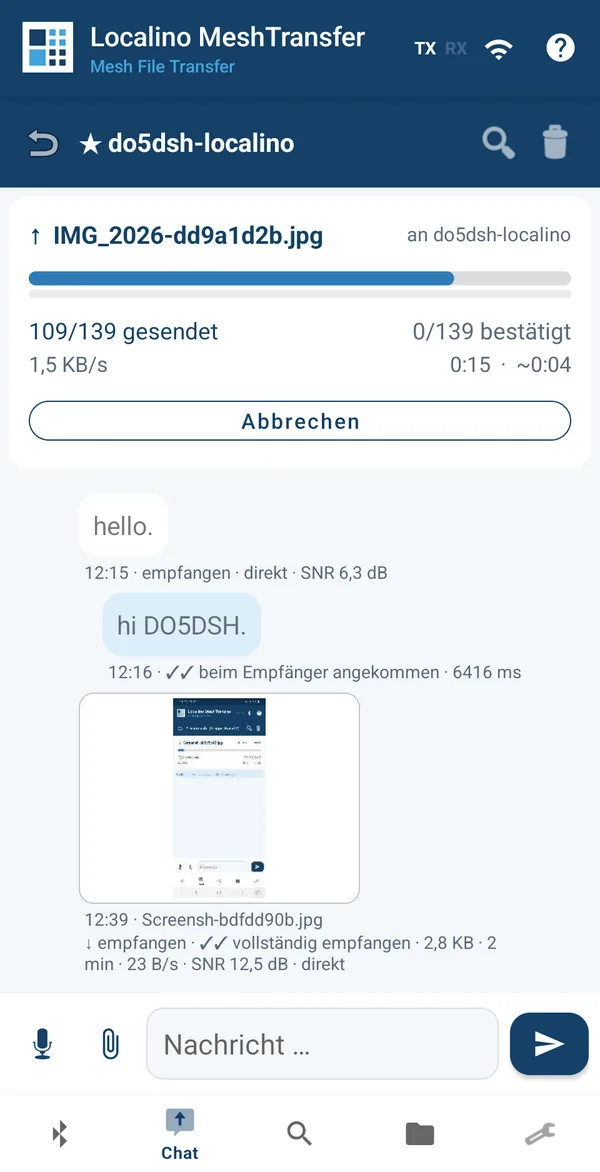
Meshtastic and MeshCore are excellent for text messages. As soon as more is needed - a photo from the scene, a site plan or a spoken message - it doesn't work today. Current apps cannot transfer files. A LoRa packet holds only a few hundred bytes, and packets can be lost at any time. That calls for a method of its own.
Localino puts its own transfer protocol on top of the mesh. It splits files up, monitors them, codes continuously, requests precisely what is missing and verifies the result. The protocol is the same in both apps - only the radio network underneath differs.
Which app do I need?
It depends on the firmware on your LoRa radio. Meshtastic and MeshCore are two different mesh networks that cannot talk to each other.
Localino MeshTransfer
For radios running Meshtastic firmware 2.5 or later - Heltec V3, T-Beam, RAK WisBlock and others.
Download MeshTransferLocalino MeshCransfer
For radios running MeshCore companion firmware - Heltec V3/V4, T-Beam, RAK WisBlock and others. Also handles contacts, channels and radio settings, so the MeshCore app is optional.
Download MeshCransferNot sure which firmware your radio has? The app you use for text messages today tells you: the Meshtastic app needs Meshtastic, the MeshCore app needs MeshCore. Both Localino apps can be installed side by side, one licence covers both, and the Mailbox works with either network.
Files that really arrive
Built for low data rates with high and variable latency - in both apps.
Resume instead of restart
If a transfer breaks off - a radio dead spot, an empty battery, a closed app - the partial data is kept. On the next attempt only the gaps go over the air.
Request what is missing
The receiver can ask the sender to send again. The sender decides in the chat, and only the missing pieces are transferred.
Coded broadcast
Extra packets are computed from the data, so any sufficient number of them rebuilds the file. Lost packets need not be requested one by one, and the receiver finishes as soon as it has enough.
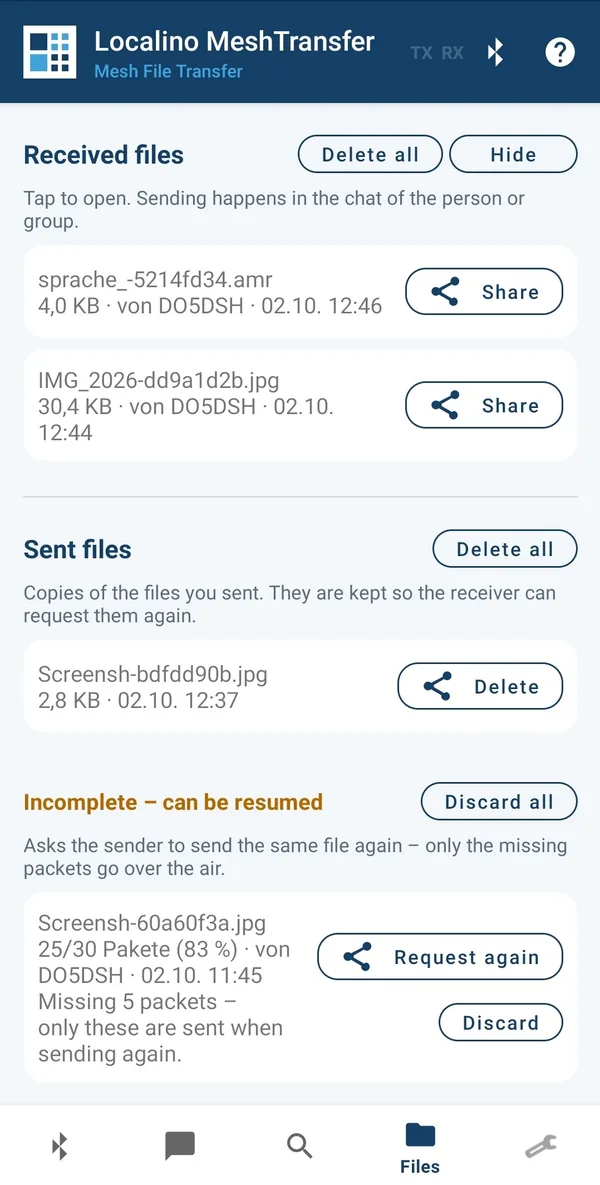
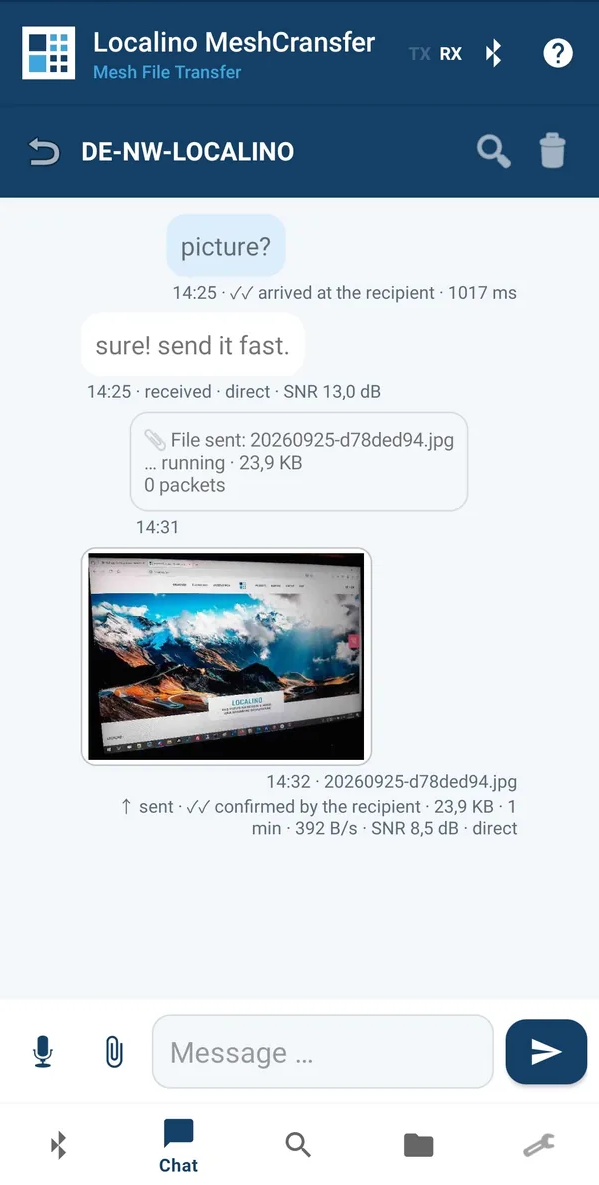
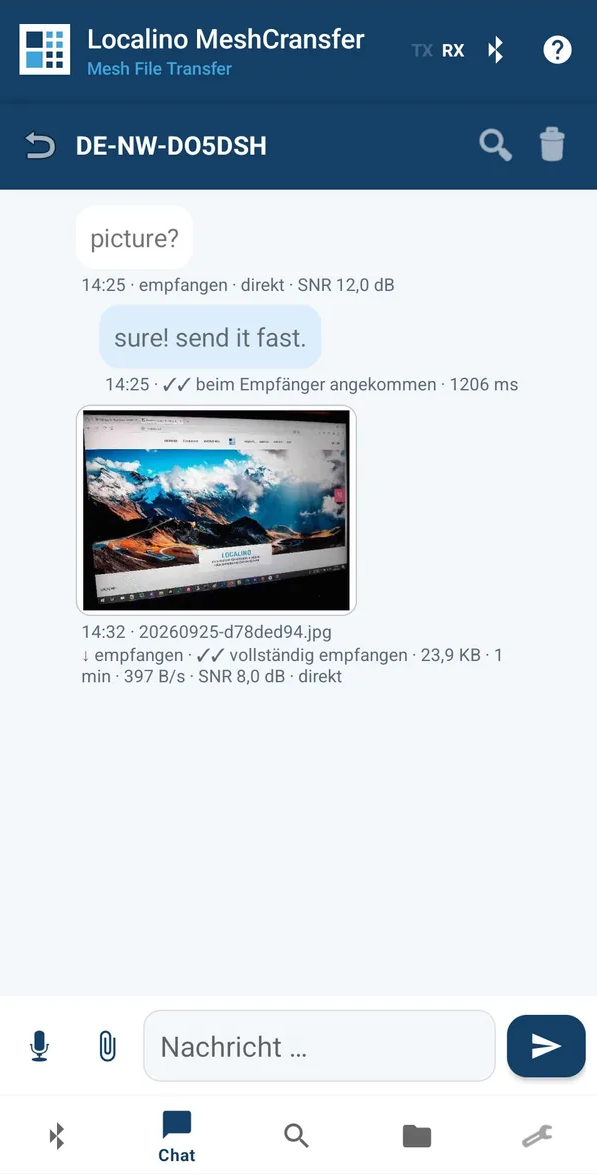
Delivery confirmation you can trust
Mesh radios acknowledge at radio level - across several stations that acknowledgement may come from a relay, not from the recipient.
- ✓Confirmed by a relay
A forwarding station has acknowledged it. Whether it reached the recipient is open. - ✓✓Arrived at the recipient
The destination itself has confirmed. - ✓✓File verified
For files the receiver reports only once the checksum over the whole file matches.
Turbo: up to ten times faster
On a direct link both devices negotiate a faster radio profile, transfer, and switch back automatically - even if the other station stops answering.
| App · radio profile | Transfer time for 20 KB |
|---|---|
| MeshTransfer · Long Fast | around 200 seconds |
| MeshTransfer · Turbo | around 15 seconds |
| MeshCransfer · EU/UK Narrow | around 360 seconds |
| MeshCransfer · Turbo | around 30 seconds |
Voice messages
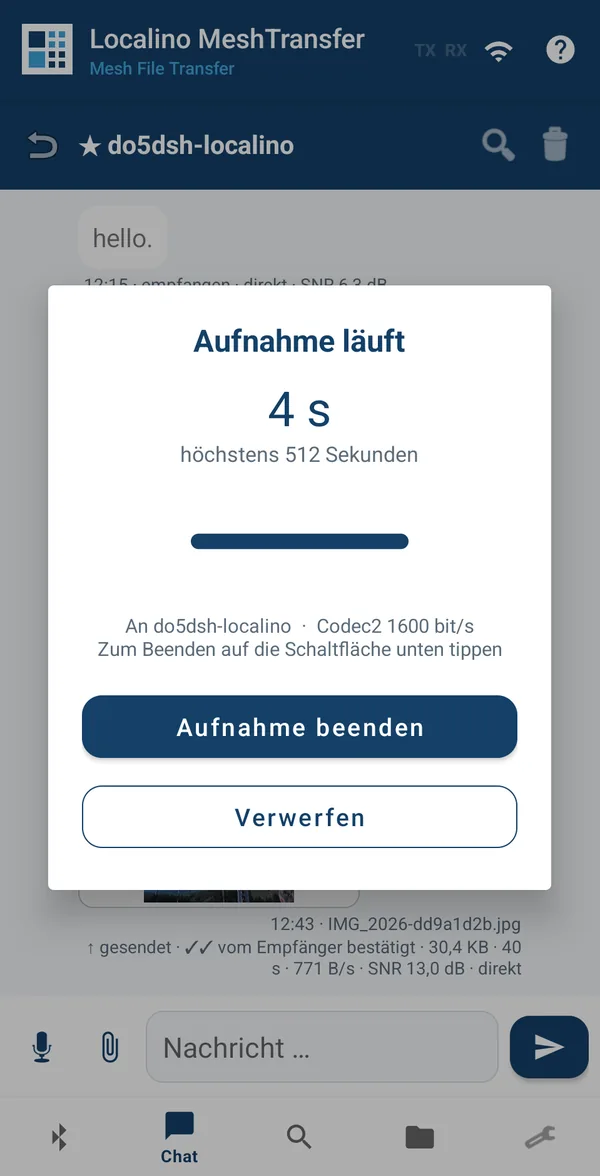
Record, listen, send - as familiar from any messenger, only over radio.
Waveform and play button
Voice messages appear in the chat with a waveform and a play button, and the level is visible while recording.
A few kilobytes
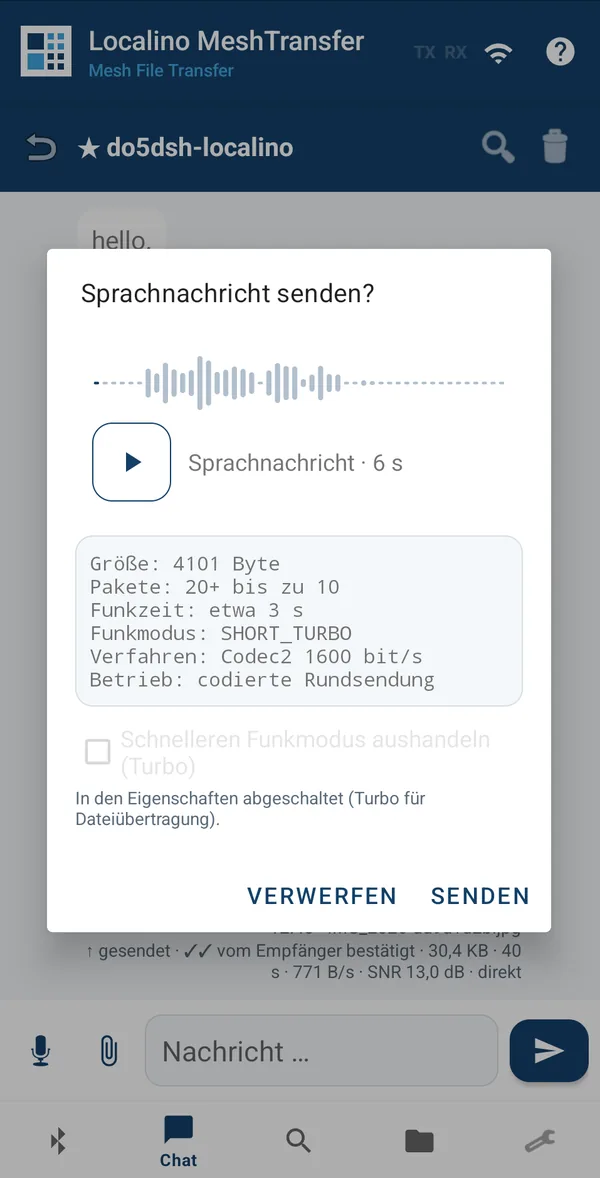
Thirty seconds of speech come to between 6 and 18 KB. With the Codec2 speech codec even long messages stay small enough for a radio link.
MeshCransfer: the same for MeshCore MESHCORE
Same protocol, same features, same look - built for MeshCore companion radios.
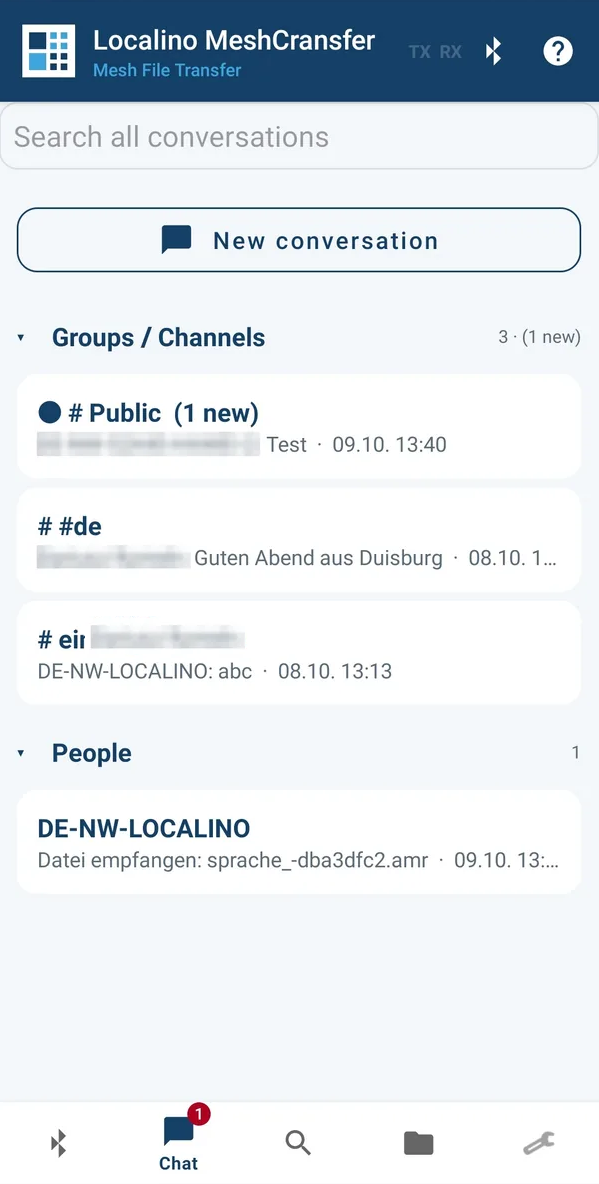
MeshCransfer brings file transfer to MeshCore. Files travel as encrypted direct messages along the routes MeshCore has learned, so they also work across repeaters. Everything you know from MeshTransfer is there: resumable transfers, coded broadcast, delivery confirmation, voice messages and turbo.
Turbo for MeshCore
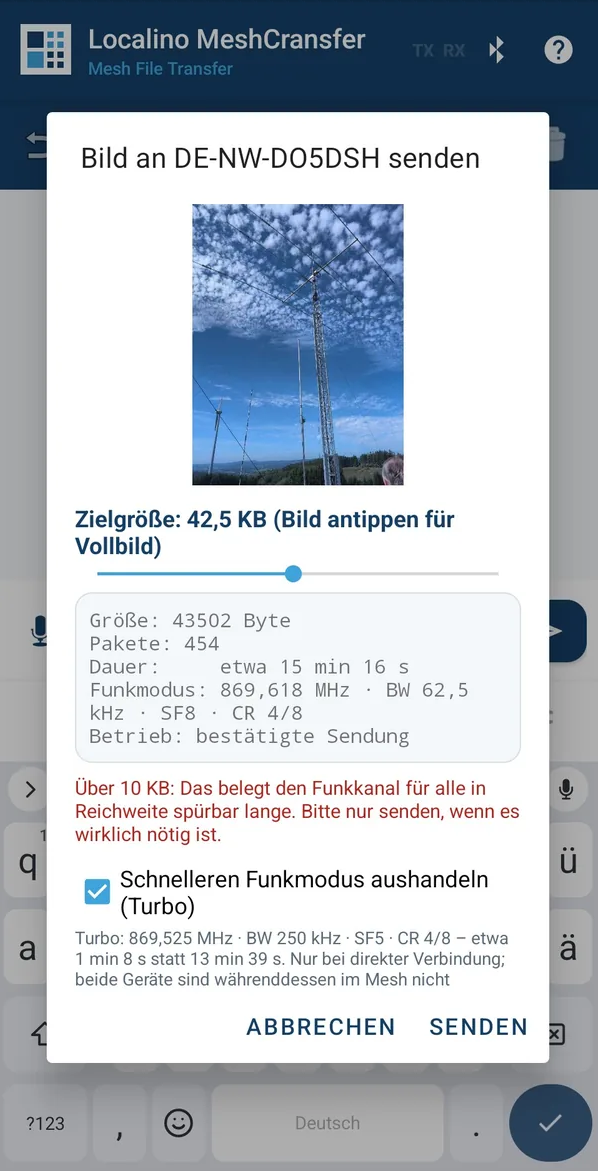
Both radios agree on a faster profile up to 250 kHz within the same sub-band, check the link, transfer and return to the mesh profile. The send dialog shows the time saved before you start.
Contacts and routes
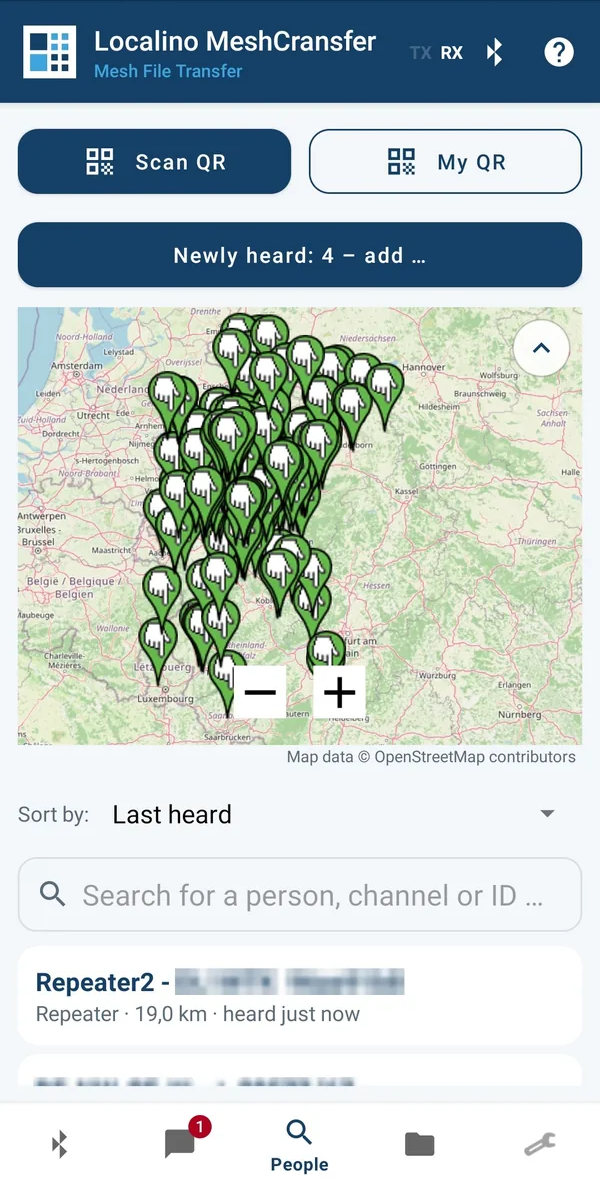
People list with map, newly heard contacts to add, QR exchange, trace route and route discovery - shown as a list and on the map.
Device management
Name, radio settings with the community presets, channels, position, key backup, statistics and factory reset - no need to switch to another app.
What differs between the two apps
| MeshTransfer MESHTASTIC | MeshCransfer MESHCORE | |
|---|---|---|
| Radio firmware | Meshtastic 2.5 or later | MeshCore companion firmware |
| Payload per packet | up to 221 bytes | 96 bytes |
| Routing | managed flooding through the mesh | learned routes over repeaters, flooding as fallback |
| Turbo | Meshtastic presets up to Short Turbo | own profile, direct link only |
| Text messages with | any Meshtastic app | any MeshCore app |
| Mailbox and licence | the same for both | |
Less radio load for everyone
A mesh is shared by all its participants. Every packet saved benefits the whole network.
Compression
A measured 40 percent saved on screenshots - before a single packet goes out.
Larger packets
Where the network allows it, the payload increases automatically and makes the best use of the channel.
Fewer acknowledgements
Every receipt is itself a radio packet. The app reduces them without losing performance.
No detours
On a direct link nothing is forwarded that does not have to be.
Everything visible
During a transfer the app shows progress bars, confirmed packets, data rate, signal quality and elapsed time. Before sending an image the target size can be set steplessly - with a preview showing exactly what will arrive at the other end, together with the packet count and the estimated air time.
Nothing gets lost: the Localino Mailbox
For a radio that stays at home while your phone does not. Works with Meshtastic and MeshCore. The Mailbox firmware is free.
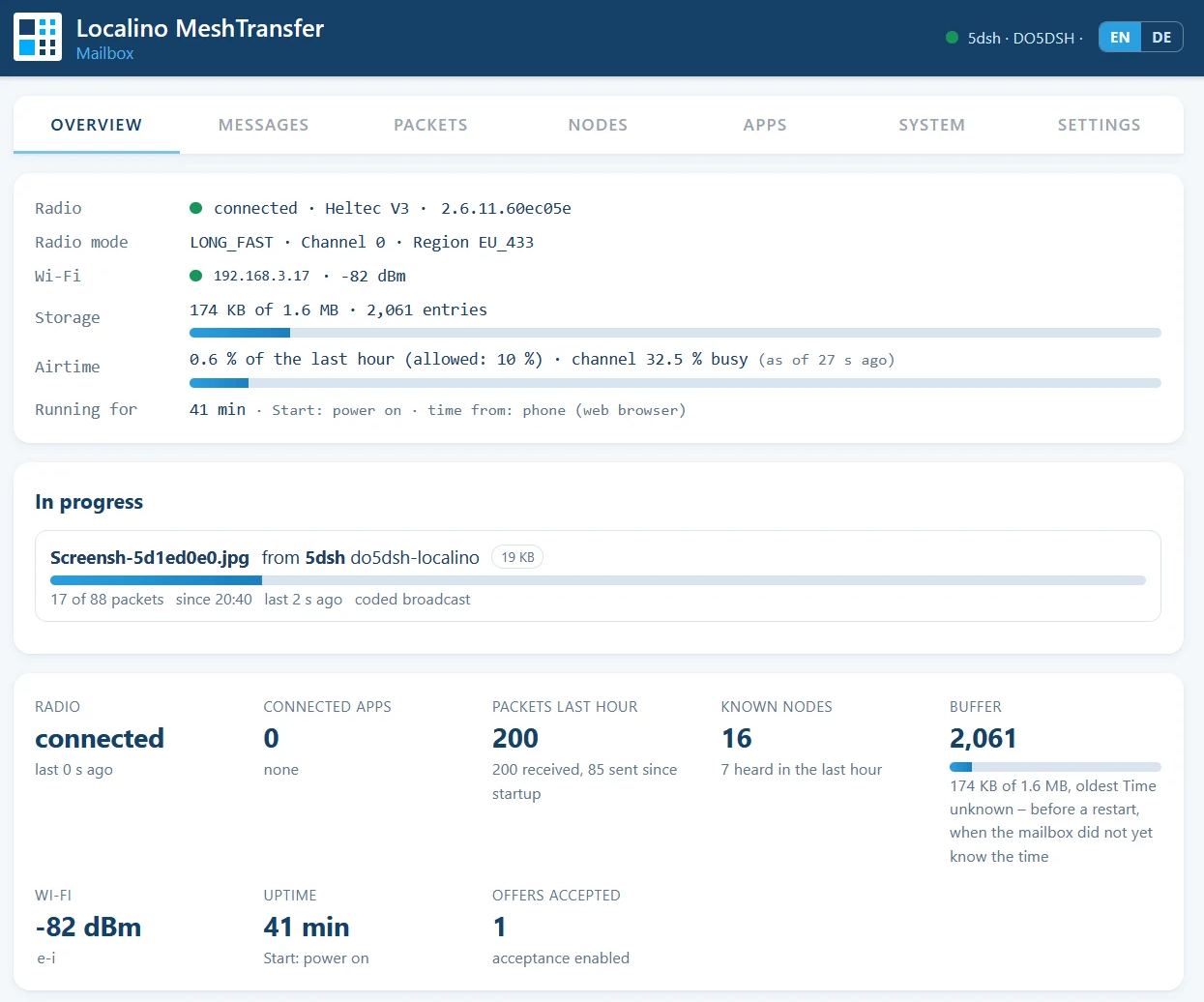
The Mailbox is not an app. It is firmware that runs on a small ESP32 board next to your radio. You open it in any web browser, and the Localino app or the regular mesh app connect to it over Wi-Fi instead of to the radio: the Mailbox passes everything through and keeps everything that arrives.
Keeps everything
A small ESP32 next to your radio stores every message and file while your phone is away, and hands them over the moment you are back.
Accepts files for you
Broadcast offers addressed to you are answered by the Mailbox, so images and voice messages arrive even with no phone around.
Both networks
The same Mailbox serves MeshTransfer on Meshtastic and MeshCransfer on MeshCore. The apps connect to it as if it were the radio, each from where it left off.
And more
Chat with replies and reactions, groups and direct messages, a people list with map, waypoints, trace route, QR exchange of contacts and channels, LoRa settings including storable profiles, backup and restore of all data, notifications with their own sound per type, full-text search, background operation.
Privacy
Everything stays on the phone. No account, no sign-in, no server, no advertising. The apps send nothing to the internet.
Requirements
Hardware
A LoRa device - Heltec V3 or V4, T-Beam or RAK WisBlock, for example - with Meshtastic firmware 2.5 or later for MeshTransfer, or MeshCore companion firmware for MeshCransfer. Connected over USB, Bluetooth or Wi-Fi. Optionally with a Localino Mailbox that keeps everything while your phone is away.
Phone
Android 8 or later. The apps follow the system language, German or English.
Both sides
File transfers need the same Localino app on both ends - MeshTransfer with MeshTransfer, MeshCransfer with MeshCransfer. Text messages also work with the regular Meshtastic or MeshCore app.
The licence: an upgrade for the app
The licence extends the Localino app on your phone, one licence for MeshTransfer and MeshCransfer together. It is the only thing that costs money if you want higher speed and data, the Mailbox is free.
App, free
- files up to 3 KB
- voice messages up to 5 seconds
- throttled data rate
- no turbo function
App with a licence
- files up to 100 KB
- voice messages at full length
- full speed
- optional turbo mode
Localino Mailbox
- firmware and updates free of charge
- no licence, no registration of the device
- Meshtastic and MeshCore
- works with the free and the licensed app
What the licence covers
- ✓It upgrades the app. File size, length of voice messages, data rate and turbo mode.
- ✓It works in both apps. The same licence unlocks MeshTransfer and MeshCransfer. You activate it in each app with the QR code from the e-mail you receive after payment.
- ✓Receiving is not limited. Even the free app accepts a large file from a licensed sender, the limits apply to sending.
- ✓It does not touch the Mailbox. The Localino Mailbox is free. It stores and delivers every message and file the same way, whether your app is licensed or not.
Try it first
Both apps are free to use within the limits above. Pick the one for your network: MeshTransfer for Meshtastic, MeshCransfer for MeshCore. The personalized licence is available at www.localino.net/shop and covers both app versions. After payment it is generated by Localino and sent by e-mail, then activated with a QR code within the app. The Localino Mailbox is free and needs no licence.
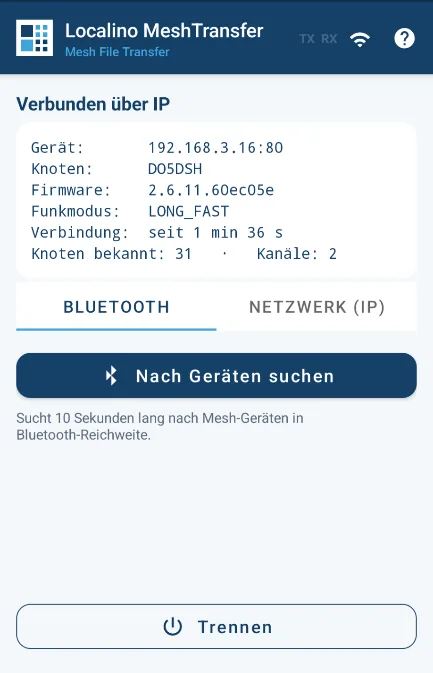
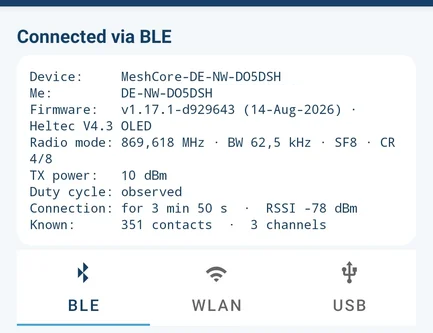
MeshTransfer · Meshtastic MeshCransfer · MeshCoreThe apps switch between German and English automatically, following the Android system language; some screenshots show the German interface. The detailed debug output is not translated. Personal identifiers in the screenshots have been made unrecognisable.